


Say you want to send an SEO report to your customer once a month. You use SEO Effect but you rather do not want the customer to know that you use our SEO tool?
Then use our white label reporting to send you customer a nice report with your own branding. Set the email frequency and your customer receives an SEO update report periodically with you as sender.
[su_icon_text color=”#676765″ icon=”icon: file-image-o” icon_color=”#2f3b6c” icon_size=”45″]
1- Set up white Label Report
Set up a white label report for your customer[/su_icon_text] [su_icon_text color=”#676765″ icon=”icon: send-o” icon_color=”#2f3b6c” icon_size=”45″]
2- SEO Effect sends the report
The mail with the SEO report (a PDF) will be sent automatically.[/su_icon_text] [su_icon_text color=”#676765″ icon=”icon: comments-o” icon_color=”#2f3b6c” icon_size=”45″]
3- Start the conversation with your customer
The report is a great opportunity to discuss next steps in jour customer’s SEO strategy. [/su_icon_text]
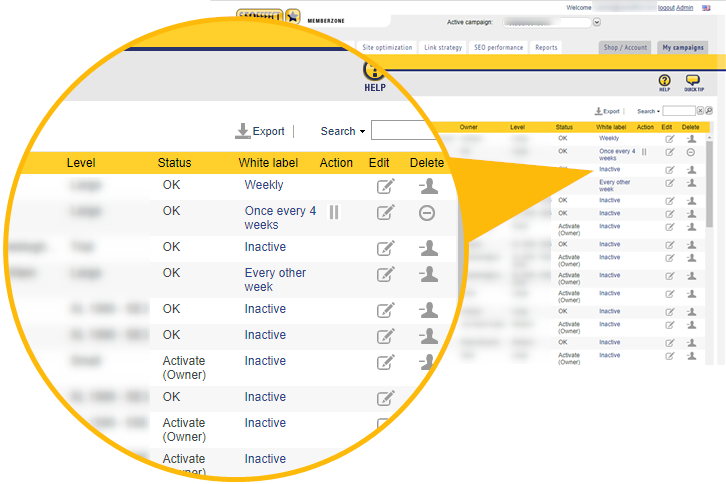
Overview: campaigns with activated reports
Go to Campaign Management to see which campaigns get a report (the White label column) and click on the status to edit it. Or, choose Campaign> Edit (Edit column) to change the White label report settings.
Set up and activate
Go to Campaign > Edit and set the white label PDF report settings for your current active campaign.
Follow these two steps.
Step 1: Report language and branding settings

Step 2: Send Settings
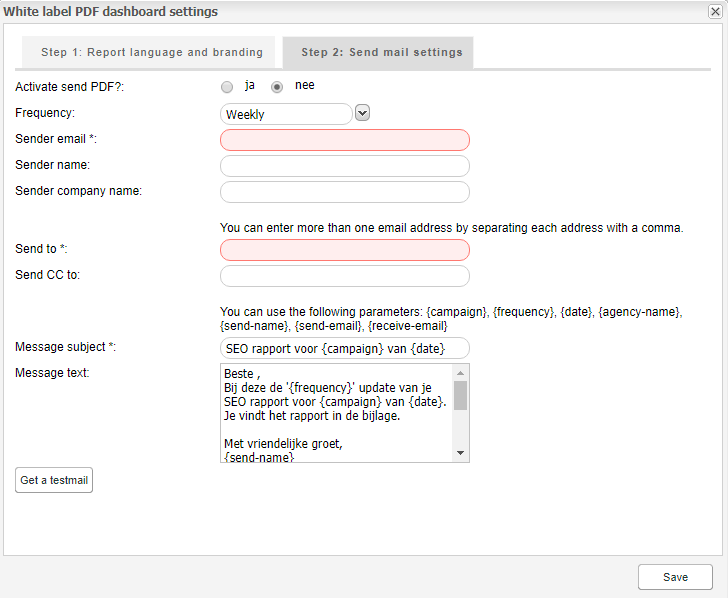
Tip: Put your own e-mail address in the cc then you also have a reminder as soon as your customer has received the report.
The result
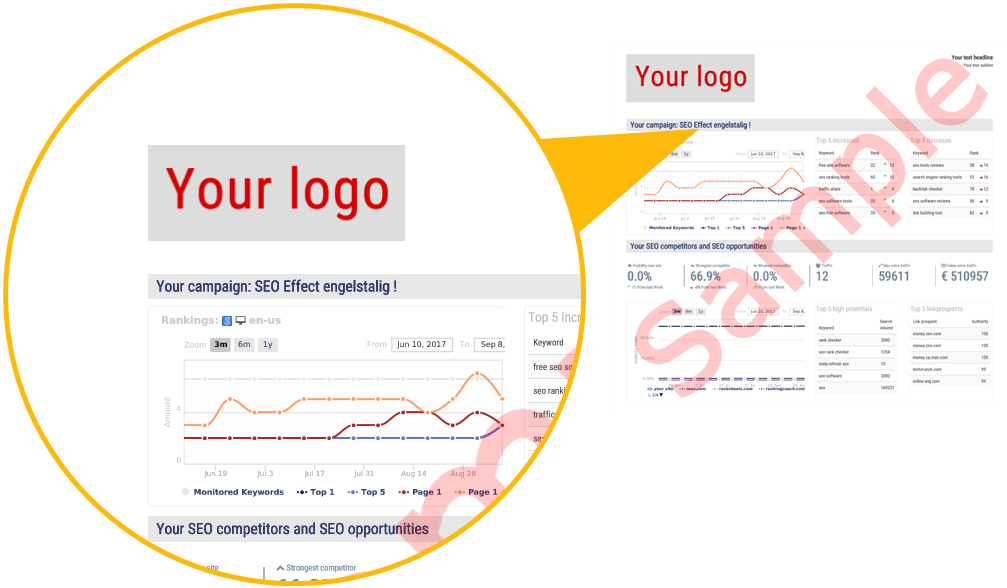
The result is a PDF report in your customer’s mailbox. A proof that you are staying on top of their SEO, and a great opportunity to make a call:
- How is Linkbuilding progressing?
- Should we do any additional keyword research?
- Your mobile rankings stay behind, will AMP help for your WP blog posts?
- Can we figure out why an SEO competitor’s Visibility Index is rising? What has changed in their link profile and what can we learn from it for your site?
Succes!
